
Name-Based Case Searches
Start your Garfield County docket search at the Washington Courts Name & Case Search. Pick the court level first. Garfield County Superior Court handles Superior civil, criminal, domestic, and probate or guardianship matters. Garfield County District Court takes limited-jurisdiction civil, criminal, traffic, infraction, probable-cause, and small-claim cases. Choose the wrong level or case type. A valid match can stay hidden even though it sits in the system.
For the Person Search, first and last name are required fields. The middle name is optional. Spell the name exactly as the court papers spell it. When many court records share one name, sort them out carefully. Check the court, the case number, the filing date, the party role, and the case type. A name that matches proves nothing on its own. Confirm the rest before you trust the result.
- Accept the state portal notice, then choose Superior Courts or District and Municipal Courts.
- Select Garfield County Superior Court or Garfield County District Court and the correct case type.
- Enter the last name and first name as they appear on the case papers. Add the middle name when known.
- Submit the search, compare the case fields, and open the case link for available docket details.
| Field Label | Type | Required | Notes |
|---|---|---|---|
| Court Level | Dropdown | Yes | Choose Superior, District/Municipal, or Appellate. |
| Court Name | Dropdown | Conditional | Select the Garfield County court that holds the case. |
| Case Type | Dropdown | Conditional | Options change with the court level. |
| First Name | Text | Name mode | Use the court-paper spelling. |
| Last Name | Text | Name mode | Required for a person search. |
| Middle Name | Text | No | Useful for separating similar names. |
Garfield County Search Gate
An Accept and Continue notice greets you at the statewide tool. The court-level choices matter because Washington keeps no single undivided list of every case. The interface says data update within 24 hours. It also warns that case status, links, and docket information may be incomplete or inaccurate. So treat what you find as a locator. Verify anything time-sensitive with the court itself.
The official Washington Courts search landing page lays out the separate court-level tiles. It also posts its public-information notice.
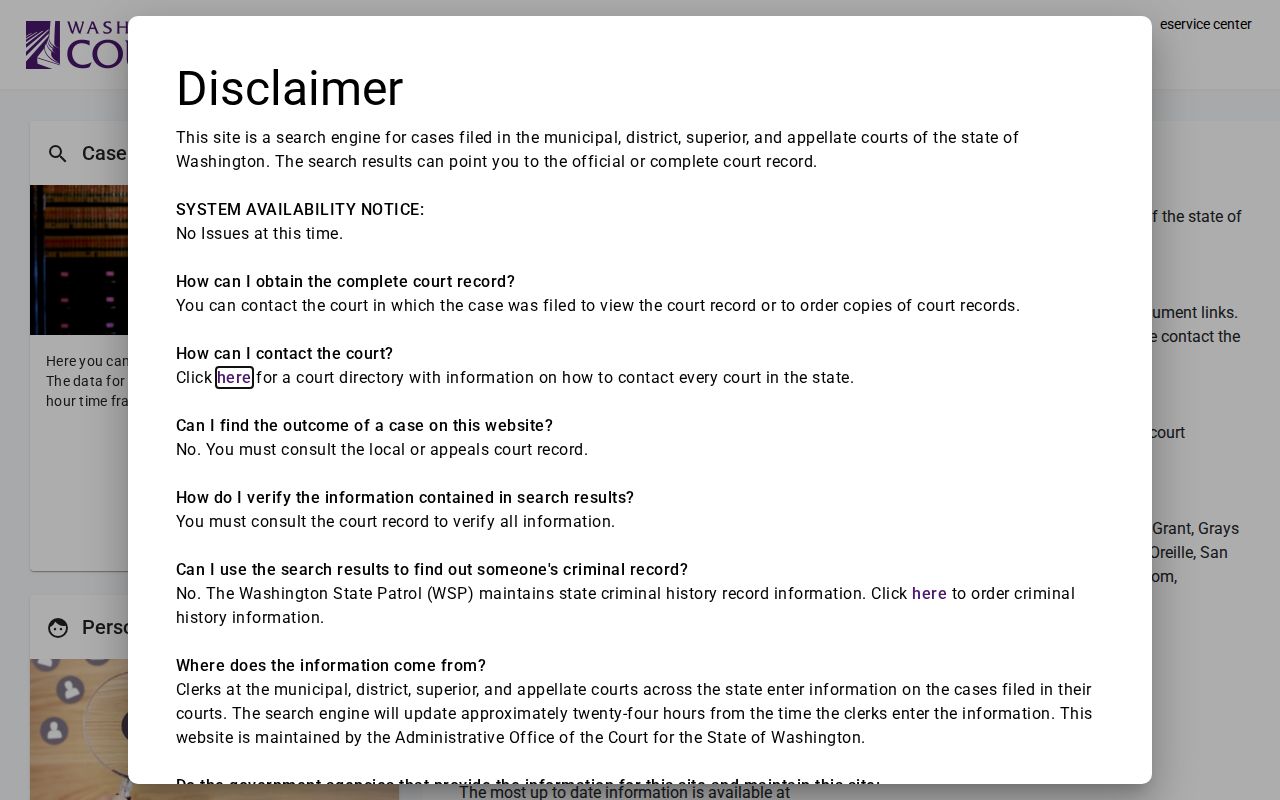
That is why a Garfield County court docket search should start with jurisdiction, not just a surname. Superior, limited-jurisdiction, and appellate results each travel a different route through the system.
Case Number Searches
For a Garfield County case lookup, nothing beats a case number. Copy every letter, dash, zero, and mark exactly as written. Each court assigns its own District and municipal numbers. These mix letters, numbers, and dashes with no one universal public meaning. That leading zero may look optional. It is not.
Older Superior numbers can follow a pattern like YY-T-#####-C. The first part often marks the filing year. The next digit can flag a case type. The middle group runs sequentially. The final digit serves as a check digit. Odyssey leans on a related year, type, sequence, and county-code scheme. Here 12 stands for Garfield County. Treat these as patterns rather than promises for every old record. Odyssey also allows wildcard case-number searches, though a query needs at least four characters.
Garfield County Case Search Misses
A blank screen in a Garfield County docket search means just that: no match. It does not prove the case is absent. You may have picked the wrong court. You may have misspelled a name, or hit a party the system lists as inactive. Sealed files sit outside public view. Archived files may not surface. Some records never enter the online system at all. One quirk worth knowing: the state interface still lists a Pomeroy Municipal label, even though the official court-code table says that court closed in 2001 and folded its work into Garfield County District Court.
Work the case number first if you have it. If not, run the exact name in the correct court and case family. Superior matters call for a cross-check in Odyssey; District settings work best through Find My Court Date. Still stuck? Call Garfield County District Court at 509-843-1002, or try the Superior Court and County Clerk route at 509-843-3731. Give the clerk the case number, the party name, a filing date or hearing date, or a narrow description of what you need.
Case Search Results Explained
A Garfield County search result can take several shapes. It may open a case summary. It may show a case information screen, a hearing list, an event history, or the Register of Actions. What the public view does well is identify a file and trace its procedure. The underlying papers stay out of view. It will not show the complaint, the order, the audio, or the exhibits themselves. Odyssey can also drop inactive parties or lock down document access.
So read each field in context. A filed charge is not a conviction. A hearing on the calendar is not proof that the hearing took place, and a payment entry may not reflect the full balance owed. When the online summary and the clerk's file disagree, the official clerk file wins.
| Case Number | The court identifier; retain its punctuation and leading zeros. |
|---|---|
| Court / Location | Shows whether the file belongs to Garfield County Superior, Garfield County District, or another court. |
| Case Type | May identify civil, criminal, domestic, probate, traffic, infraction, or another category. |
| Parties | Lists public party names and roles; inactive or protected parties may not appear. |
| Filed Date | Marks when the court opened or filed the case in the system. |
| Events / Hearings | Lists procedural events and settings, which can change or require clerk confirmation. |
| Status / Disposition | Summarizes the recorded state or outcome but may lag a recent court action. |
| Documents | A title or link does not guarantee anonymous access to the filed item. |
Garfield County Business Case Searches
The Washington portal searches business names as well as people and case numbers. Use the name exactly as the pleadings spell it. Then try a common variant if the exact form comes up empty. Odyssey also runs Business Name searches and accepts partial names with a wildcard. Open the file before trusting any match. Check the party role, case type, filing date, and court.
Attorney Search is a separate Washington Courts tool. Its fields ask for a bar number and a date range. The range runs from one through 90 days. It can find proceedings tied to counsel. It cannot replace a party search or prove an outcome. Odyssey advanced options add attorney bar number and attorney name filters. These help narrow Garfield County court activity. The case screen and the clerk file still carry the event itself.
Garfield County Odyssey Search
For Garfield County Superior cases, the public route is the Odyssey Portal. Smart Search is the main docket search there. Type a case number. Or enter a name in Last, First Middle Suffix order; capitalization does not matter. A wildcard helps when you only have part of a surname. A hyphenated last name may need a second pass with the hyphen dropped. The official guide sets the minimums. Three characters for a last name, one for a first name.
The official Washington Courts name-search screen lays out the first, last, and middle-name fields. It also includes a CAPTCHA step.
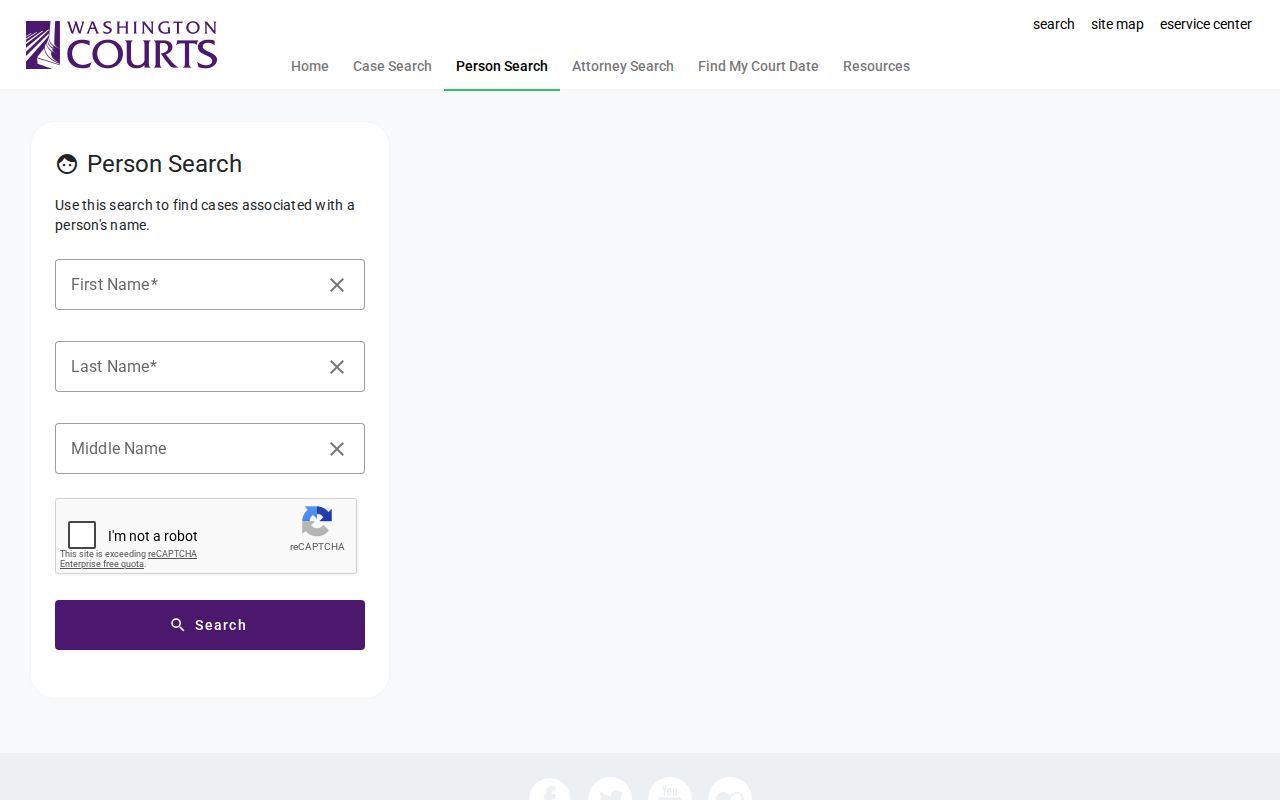
The empty search form shows exactly what you must supply, with no real party exposed. Once inside Odyssey, filters can narrow a Garfield County docket by location, case type, status, filing-date range, or judicial officer.
Two Ways to Search: County and State
Garfield County runs no county portal of its own to replace the state systems. Instead, the statewide Name & Case Search serves as the broad index, covering Superior, District/Municipal, and appellate matters. Odyssey goes deeper for Garfield County Superior files. Need only a District court date? Find My Court Date is usually faster. When an online index lacks a document, audio file, certified copy, or the latest setting, the county clerks close the gap.
| Search Channel | Coverage | Best Use |
|---|---|---|
| Washington Name & Case Search | State Superior, District/Municipal, and appellate indexes | Finding a case by name, business, or number across court levels |
| Odyssey Portal | Garfield County Superior public case information | Reviewing Superior case information, events, and hearings |
| Find My Court Date | District and municipal settings | Checking a lower-court hearing date by name |
| Garfield County court clerk | The local court file | Confirming settings or requesting documents, audio, and certified copies |
Garfield County District Date Search
Find My Court Date is narrower than a full docket search. Pick Garfield County District Court from the list. Then search with a last name and a first-name initial to find a lower-court setting. A Pomeroy Municipal option may show up too. Treat it as a legacy label and confirm with District Court.
Dates, not history, are its job. For event detail, go back to Name & Case Search. Settings can move. Verify any near-term hearing with Garfield County District Court before you count on the display.
Garfield County Case Record Fallback
A docket search finds the case. It does not replace the court's own record. For a Superior file, reach the Garfield County Superior Court and Clerk at 789 Main Street in Pomeroy, or write to PO Box 915. Or call 509-843-3731. Viewing happens at the Clerk's office. Hours are the posted 8 a.m. to noon and 1 p.m. to 5 p.m. windows. The Superior record-request route accepts email, fax, and USPS delivery as well.
District Court filings go through the Garfield County District Court record route: email districtcourt@garfieldcountywa.gov, fax 509-843-3815, mail PO Box 817, Pomeroy, WA 99347. Or stop by the court. One form can cover a citation or complaint, civil pleading, judgment, sentence, recording log, dismissal order, small-claim record, or hearing audio. Ask about timing and access rules before sending sensitive identifiers. For more on copies and files, see the Garfield County court case records route.
Which Cases Stay Restricted
Washington's court indexes are public tools. Yet not every file is open to anonymous viewing. Sealed cases, confidential records, juvenile matters, and protected family or guardianship material may be hidden, redacted, or released only under a court order. A blank result may simply reflect those rules. It is not a search error.
Juvenile access runs through the shared Asotin/Garfield Juvenile Department. An ordinary adult case search will not return a juvenile file. For restricted Superior or District material, ask the responsible clerk what identification, authorization, or order is needed. Never try to slip past a restriction. The clerk can tell you more. A public version, a redacted copy, or a docket entry may be released instead.
Garfield County Docket or Document
A docket entry is an index line, not the filed item. It may show that a motion, order, judgment, continuance, plea, or appeal was entered on a given date. The document layer is different: the actual pleading, order, exhibit, transcript, or audio. Anonymous Odyssey access can display Garfield County case information while withholding some linked documents.
Ask a narrow question when the split matters. Wondering whether an order was entered? Start with the Register of Actions. Need the court's exact words? Request the order from the clerk. Audio and judgments follow the same rule: find the Garfield County case online first, then name the exact hearing date or document in your request.
Garfield County Docket Updates
The Washington case-search system refreshes roughly every 24 hours, around 3 a.m. Useful, but hardly live. A hearing held today, a fresh filing, or a last-minute reset may lag behind the screen. Garfield County's own docket notices also warn that posted settings can shift.
Write down the date and time of any search. Do this when you track a Garfield County case. Recheck the case link after each new event. Call the court before any hearing that affects travel or attendance. The safe chain is short. Find the file online. Match its court and case number. Then confirm current facts or order the official item from the clerk.